2026 Guide to Choosing the Right LOD for Architectural, Structural & MEP Models
Table of Contents
In 2026, the AEC industry is no longer asking whether to use BIM. The question now is whether teams are using it correctly. And one of the most common areas where projects break down is in the LOD.
Level of Development (LOD) defines how detailed and reliable a model is at a given stage of a project. It tells your team and your consultants exactly what they can depend on the model for – and what they cannot.
Without a clearly defined LOD strategy, architects often over-model during the concept stage. Structural engineers may deliver coordination models that are not yet ready for fabrication and MEP teams might face differences on-site because the model was never intended to represent actual installation conditions.
This guide walks through how to choose the right LOD for Architectural, Structural, and MEP models across each project phase in 2026.
Did You Know?
A growing challenge for Tier-1 projects is the lack of formal LOD decision plans, which results in models being delivered with excessive or unconfirmed detail, frequently causing coordination bottlenecks and change orders.
BIM Forum’s LOD Specification
The BIM Forum’s LOD Specification, now widely adopted across North America, Europe and Australia, defines six primary levels:
LOD 100 | Conceptual
An element is represented as a basic form with no reliable geometry, size, or location, like sketching a box to show where a building might go.
LOD 200 | Approximate Geometry
The element is modelled with approximate size, shape, and location; this is suitable for schematic design but not accurate enough to build from.
LOD 300 | Precise Geometry
The model now has accurate geometry, quantity, and location, ready for construction documentation and coordination.
LOD 350 | Construction-Ready
All the building systems, such as structure, pipes, and ducts, are shown together so teams can check that they don’t overlap.
LOD 400 | Fabrication & Assembly
The model contains full fabrication-level detail sufficient for shop drawings, off-site manufacturing and installation.
LOD 500 | As-Built
The final model is updated to show exactly what was built on site. It is used to manage and maintain the building for years to come.
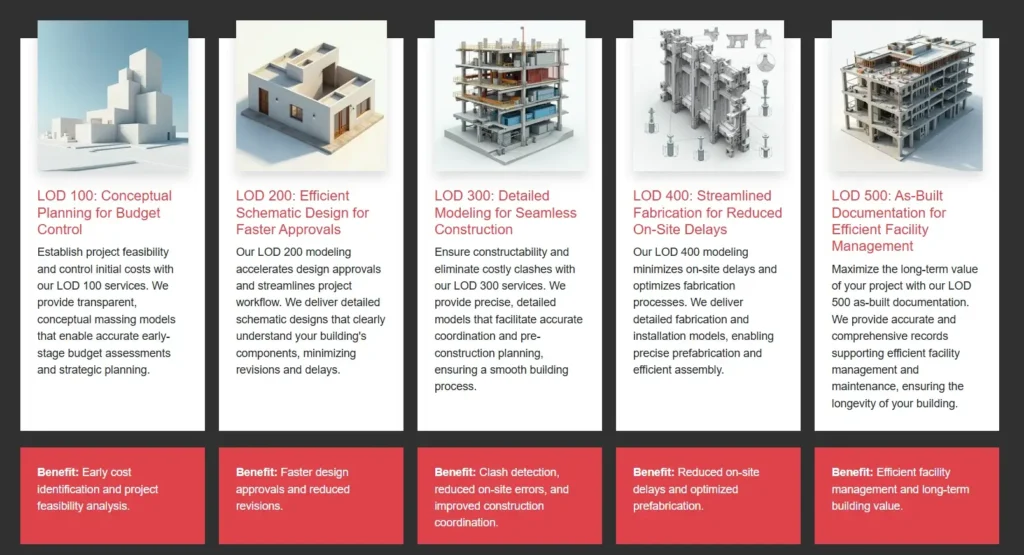
BIM Level Of Development – Source
Did You Know?
Recent research from Deloitte and Autodesk highlights that construction firms lose an average of 4–6% of total project value due to scattered or outdated data—losses that are primarily mitigated through precise LOD 300+ modeling.
LOD for Architectural Models
Architectural BIM models often carry the highest risk of over-detailing at the wrong stage. Early concepts don’t require the accuracy of LOD 300, yet teams frequently include detailed wall assemblies and room data much sooner than necessary.
The right approach is to match LOD for Architectural Models to the decision being made:
- LOD 100–200 is appropriate for massing studies, planning approvals and early cost estimates.
- LOD 300 will align with design development and construction documentation. Sizes and material specifications are confirmed.
- LOD 350 is reached when the architectural model must coordinate with structural and MEP (Mechanical, Electrical and Plumbing) systems. Dimensions and data must be accurate enough to detect overlaps.
- LOD 400 is used for specialist elements such as prefabricated facade panels or modular units where off-site fabrication depends on model accuracy.
One of the most common mistakes in architectural BIM models is treating LOD 300 and LOD 350 as the same. They are not. LOD 350 adds functional constraints to LOD 300; the model must show how architectural elements interact with structure and services.
Tailored Frameworks for Success
Complex projects demand more than a template-based approach. Discover how developing custom BIM Execution Plans ensures that even the most intricate architectural and engineering requirements are met with precision, clarity, and accountability across the entire project lifecycle.
LOD for Structural Models
LOD for Structural BIM models requires a different progression than architectural models. The consequences of a misaligned column or of an incorrect beam depth are not aesthetic.
- LOD 200 covers early structural grids, approximate column locations, and load assumptions. This is sufficient for initial architectural coordination.
- LOD 300 confirms sizes, orientations and connection types. It is the baseline for multi-discipline coordination and clash detection.
- LOD 350 adds connection details and interfaces with architectural and MEP elements. This is critical before MEP routing begins. Structural perforations must be confirmed so that duct and pipe routes are designed correctly.
- LOD 400 is required for fabrication drawings. At this level, the model is handed to the steel fabricator or precast manufacturer.
A common fault in a structural BIM model is reaching LOD 300 but not progressing to LOD 350 before MEP coordination begins. When this happens, MEP teams plan pipe and duct routes around elements that will later change. When the structure gets updated, nothing fits anymore and rework follows.
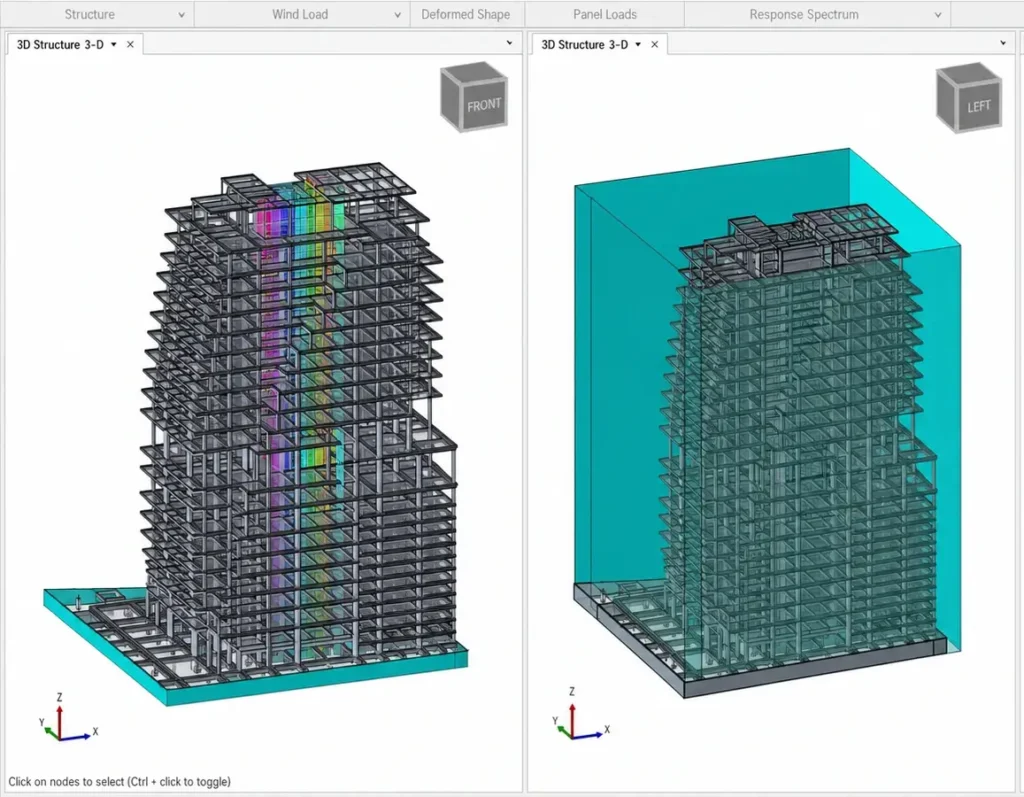
3D structural BIM model for accurate LOD coordination
LOD for MEP Models
MEP is where LOD misalignment hurts the most. Pipes, ducts and conduits all compete for the same tight ceiling and floor spaces as beams, slabs, and finishes. When one model does not reflect real conditions, clashes appear on site, which in turn leads to costly delays.
LOD for MEP must be tied directly to project milestones and overlap detection:
- LOD 200 represents system zoning, major equipment locations and approximate service routes. It is used to test spatial feasibility and confirm that plant rooms are adequately sized.
- LOD 300 confirms the duct sizes, pipe sizes, equipment selections, and routing paths. This level is appropriate for permit submissions.
- LOD 350 is a coordination-ready MEP. Routes don’t clash and reflect actual installation paths. All penetrations through structure and architectural elements are confirmed. This is the minimum LOD required before construction begins on any MEP system.
- LOD 400 covers fabrication and installation. Ductwork is analysed as parts and pipe runs are detailed with supports, hangers and fittings. This level supports off-site prefabrication of MEP modules.
In MEP BIM models, the gap between LOD 300 and LOD 350 is a major problem. Teams submit LOD 300 models for coordination, but they were never built to coordinate.
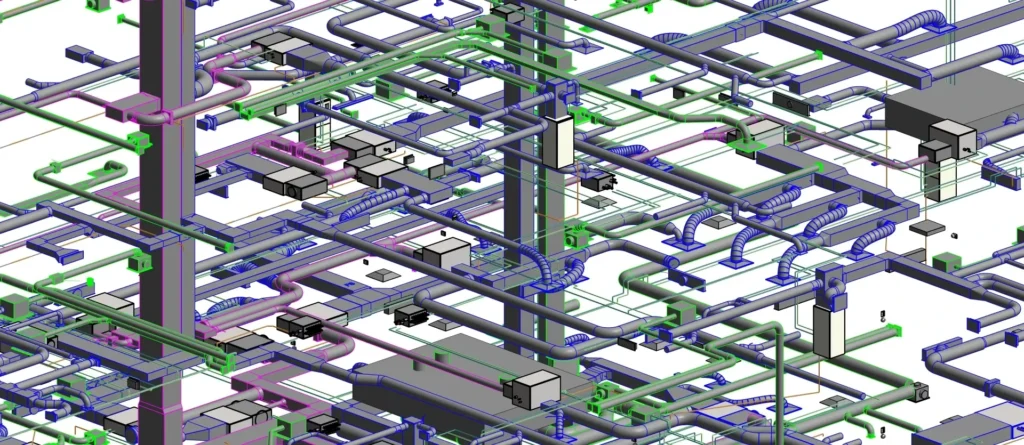
High-LOD MEP stops on-site guesswork
How to Align LOD Across Architecture, Structure and MEP?
Choosing the right LOD for each model alone is not enough. It is as important to align the LOD progression across Architectural, Structural, and MEP models so that each section’s deliverables are reliable when the next needs them.
In 2026, the most effective teams do this through three practices:
- Start by defining LOD at a system level in the BIM Execution Plan, not for the entire project. Instead of saying the model will reach LOD 350, clearly state which elements from each discipline will achieve that level and when.
- Next, link LOD levels to decisions instead of time frames. Models should progress based on what problem needs to be resolved next.
- Finally, treat the LOD matrix as a working document. Review and update it at every important stage to reflect changes and project needs.
Conclusion
LOD decisions don’t stay in the model; they show up in contracts, timelines and site costs.
Get it wrong at the wrong phase and rework follows. Get it right and construction moves faster and the building hands over with data that actually supports operations.
For each stage, ask three simple questions: What decision needs to be made? How reliable does the model need to be? What information is required to support that decision?
These questions are more useful than any standard chart. In 2026, with models carrying more data and serving more purposes than ever before, getting LOD right from the start is one of the most valuable decisions a project team can make.
Expert BIM Modeling Services
From conceptual LOD 100 to fabrication-ready LOD 500, the team at BIM Services India provides data-rich Revit models tailored to your specific regional codes and project requirements.
Frequently Asked Questions (FAQs)
What’s the difference between LOD 300 and LOD 350?
LOD 300 is accurate geometry. LOD 350 is geometry that plays well with other elements. While one is ready for documentation, the other is ready for coordination.
Can I just model everything to LOD 300 from the start?
Yes, you can. But you will be wasting time and increasing costs, all while missing the needed requirements. Right LOD at the right phase beats over-modelling every time.
Who decides the LOD for each element?
Your BIM Execution Plan should decide the LOD for each element. If it doesn’t specify LOD by element and by phase, it’s incomplete.
